
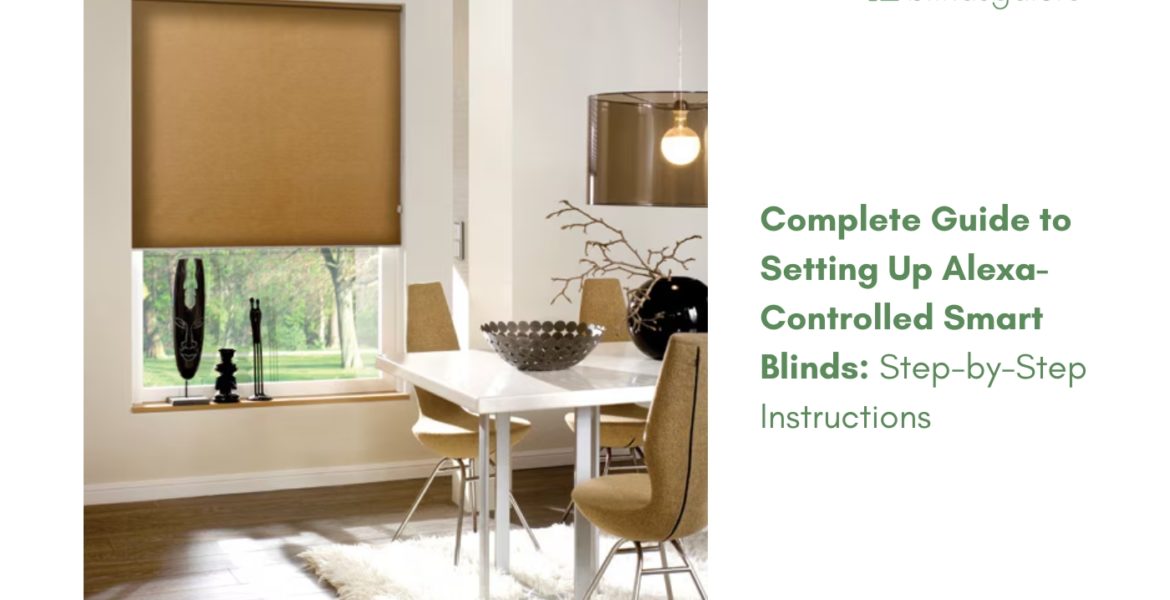
Voice-controlled window coverings aren’t futuristic anymore. Walk into your bedroom and say “Alexa, open the shades,” and watch your blinds glide upward. No app hunting. No remote searching. Just your voice and instant response.
Setting up Alexa smart blinds feels intimidating until you’ve done it once. Then you’ll wonder why you waited. We’ve walked thousands of customers through the process for 25+ years. Same questions, same hiccups, same solutions. Here’s everything you need to know, no technical jargon required.
Quick notes for readers: Technically not all motorized blinds/shades are compatible with Alexa. Not even all Blindsgalore motorized products, technically. They will have to check in their specific product details. List of products compatible: Here.
Here is a list of all BLINDSGALORE brand products compatible with Alexa: Here.
What Makes Blinds Work with Alexa?
Not every motorized blind talks to Alexa straight out of the box. Blinds compatible with Alexa need two things: motors plus smart connectivity.
Motors provide physical movement. Inside the headrail sits a motor that raises, lowers, or tilts your window coverings when signaled. But motors alone won’t respond to voice commands. You need a translator.
Smart home integration happens through hub systems. Connector Smart Hub, Bali Gateway, or Levolor InMotion act as translators between your motorized blinds and Alexa. The hub receives your voice command through Alexa, converts the signal into motor language, and tells your blinds what to do.
Without a hub, Alexa can’t communicate with your blinds. With a hub, whole-home voice control becomes possible. Simple as that.
What You Need Before Starting Setup
Gather everything before you begin. Stops you from realizing mid-setup that you’re missing a crucial piece.
Hardware checklist:
- Motorized blinds or shades already installed
- Smart hub compatible with your system (Connector Smart Hub works with most)
- Stable Wi-Fi network (2.4GHz works best for smart home devices)
- Alexa-enabled device (Echo, Echo Dot, Echo Show, Fire tablet)
- Smartphone or tablet with Alexa app installed
Account requirements:
- Amazon account with Alexa app set up
- Wi-Fi network name and password
- Smart hub account you’ll create during setup
Most people already have Alexa running. Adding blinds just extends what you can control. If you’re starting fresh with Alexa, set up your Echo device first. Get comfortable with basic voice commands. Then add blinds to your system.
How to Control Blinds with Alexa: Complete Setup Process
Setting up Alexa smart blinds breaks down into three phases: hub connection, device pairing, voice command setup.
Phase 1: Connect Your Smart Hub to Network
Your smart hub needs power and internet connection before anything else works.
Physical setup:
- Plug Connector Smart Hub into an outlet near your router
- Connect Ethernet cable from hub to router (or use Wi-Fi if supported)
- Wait for indicator lights showing solid connection (usually green or blue)
Network configuration:
- Download Connector app on iOS or Android
- Create your account using email and secure password
- Follow in-app prompts connecting hub to Wi-Fi network
- Confirm hub shows “online” status in app
The hub acts as home base for all motorized treatments. Once connected, stays connected. You’ll rarely touch the hub again unless adding new blinds or troubleshooting.
Phase 2: Pair Motorized Blinds to Hub
Now your hub needs to recognize which blinds exist in your home.
Adding blinds to hub:
- Open Connector app on your phone
- Tap “Add Device” or similar option
- Select “Blinds” or “Shades” from device types
- Follow prompts putting blind motors into pairing mode (usually pressing button on motor or remote)
- App searches for nearby devices
- When your blind appears, select and confirm pairing
- Name each blind by location (Bedroom Window, Living Room Left, Kitchen Slider)
Clear names matter more than you’d think. “Alexa, close the thingy by the couch” won’t work. “Alexa, close living room left shade” will. Descriptive names equal reliable voice control.
Repeat pairing process for every motorized window covering in your home. Group similar blinds together when you want to control multiple at once. “Master bedroom shades” can control all bedroom windows simultaneously when grouped properly.
Phase 3: Connect Hub to Alexa
Final step links everything together. Your hub knows your blinds. Alexa needs to know about your hub.
Enabling smart home skill:
- Open Alexa app on your phone
- Tap “More” in bottom right corner
- Select “Skills & Games”
- Search for your hub’s skill (Connector, Bali Gateway, Levolor InMotion)
- Tap “Enable to Use”
- Sign in with hub account credentials
- Grant permissions when prompted
- Wait for skill to enable successfully
Discovering devices:
- After enabling skill, tap “Discover Devices” in Alexa app
- Wait while Alexa searches (takes 20-45 seconds usually)
- Alexa lists all found devices
- Confirm your named blinds appear in list
- Assign blinds to rooms in Alexa app for better organization
Room assignment helps with voice commands. Saying “Alexa, close the bedroom shades” works when your bedroom has assigned shades. Without room assignments, you’ll need full device names every time.
Voice Commands That Actually Work
Generic commands frustrate users because they’re too vague. Specific commands get consistent results.
Basic commands for single blinds:
- “Alexa, open [blind name]”
- “Alexa, close [blind name]”
- “Alexa, raise [blind name]”
- “Alexa, lower [blind name]”
- “Alexa, set [blind name] to 50 percent”
Room-based commands:
- “Alexa, close all living room shades”
- “Alexa, open bedroom blinds”
- “Alexa, lower kitchen window to 75 percent”
Group commands when set up in Alexa app:
- “Alexa, close downstairs blinds”
- “Alexa, open all shades”
- “Alexa, set main floor to 60 percent”
Scene integration:
- “Alexa, good morning” (can open specified blinds)
- “Alexa, movie time” (can close living room shades)
- “Alexa, goodnight” (can close all blinds)
Creating Routines for Automated Control
Routines take voice commands to the next level. Instead of asking Alexa multiple times daily, routines handle repetitive tasks automatically.
Morning routine example:
- Open Alexa app
- Go to “More” then “Routines”
- Tap “+” to create new routine
- Name: “Morning Routine”
- Set trigger: Time (7:00 AM on weekdays)
- Add action: Smart Home > Select your bedroom blinds > Open
- Add another action: Smart Home > Kitchen shades > Set to 75%
- Save routine
Now every weekday at 7:00 AM, your bedroom blinds open fully and kitchen shades open to 75% without you saying a word. Natural wake-up light without touching anything.
Evening routine example:
- Trigger: Sunset
- Action: Close all main floor blinds
- Action: Set bedroom shades to 50%
Sunset triggers adjust automatically as daylight hours change throughout the year. Your blinds respond to actual conditions, not fixed times.
Integrating with Other Smart Home Systems
Alexa compatible blinds don’t exist in isolation. Most smart hubs work with multiple ecosystems simultaneously.
Connector Smart Hub integrates with:
- Amazon Alexa
- Google Home
- Samsung SmartThings
- Control4
- IFTTT
- Siri Shortcuts
Running Google Home alongside Alexa? Your blinds respond to both. Want SmartThings automation? Same blinds, different trigger options. The hub handles all platforms simultaneously without conflict.
IFTTT (If What Then That) opens advanced automation possibilities. Create custom triggers based on weather, location, time, or other connected devices. Example: If outdoor temperature exceeds 85 degrees, close south-facing shades automatically. The app connects weather data to blind control without you writing code.
For comprehensive smart home setups, multiple integration points mean your blinds respond intelligently to various conditions and systems working together.
Troubleshooting Common Setup Issues
Even straightforward setups hit snags. Here’s how to fix the most common problems.
Alexa can’t discover devices:
- Confirm hub shows online in native app
- Check Wi-Fi signal strength at hub location
- Disable and re-enable smart home skill in Alexa app
- Restart Alexa device (unplug for 30 seconds, plug back in)
- Try “Discover Devices” again
Blinds don’t respond to voice commands:
- Verify blind names in hub app match what you’re saying to Alexa
- Check that blinds respond to control through hub’s native app
- Ensure blinds have fresh batteries if battery-powered
- Restart hub (unplug for 30 seconds)
- Re-pair blinds to hub if necessary
Commands work inconsistently:
- Move Alexa device closer to where you typically speak
- Reduce background noise when giving commands
- Speak clearly and avoid rushed delivery
- Use exact device or room names as configured in app
- Check for Wi-Fi interference from other devices
Hub loses connection:
- Confirm router hasn’t changed settings or passwords
- Check for router firmware updates
- Move hub closer to router
- Use Ethernet connection instead of Wi-Fi when possible
- Contact support if persistent connection drops occur
Most issues resolve with simple restarts or name adjustments. Rarely do you need technical support. But when you do, our team has 275+ years of combined experience. Call (877) 702-5463 or text (858) 550-4750. Available Mon-Fri 6am-6pm PST, Saturdays 8am-4:30pm PST.
Which Blindsgalore Products Work with Alexa?
Our motorized blinds and shades come ready for Alexa integration when paired with compatible smart hubs. Here’s what works seamlessly with voice control:
- Motorized Cellular Shades Rechargeable battery motors built into the headrail. Charge via micro-USB port. One charge lasts months with typical daily use. Available in light-filtering or blackout fabrics with dozens of color options. Honeycomb structure provides up to R-4 insulation while looking sleek and modern. Custom-made to your exact window measurements.
- Motorized Roller Shades Smooth, quiet operation perfect for bedrooms and living areas. Choose from light-filtering or blackout materials in our Envision collection. Fabric-wrapped bottom rails create a polished look. Optional cassettes conceal the roller when raised. Motorized lift eliminates cords completely for child and pet safety.
- Motorized Roman Shades Elegant folds with motorized convenience. Hundreds of fabric choices from natural woven textures to solid colors. Flat, hobbled, or relaxed styles suit any decor preference. Light-filtering or blackout liners available. Each shade custom-built to your specifications and compatible with Connector Smart Hub for Alexa integration.
- Motorized Dual Sheer Shades Boutique collection featuring alternating sheer and solid fabric bands. Tilt bands for view-through or privacy. Motorized control provides precise positioning. Designer and Luxe collections offer premium fabrics in sophisticated patterns. Wide widths available up to 110 inches for large windows or patio doors.
All motorized products ship in 5-7 business days with free shipping across the continental U.S. Each purchase includes our free 3-year warranty, upgradeable to 5 years. Not satisfied? Free exchanges for any reason within 30 days under our industry-leading guarantee.
Maintaining Your Smart Blind System
Once set up, Alexa compatible blinds need minimal maintenance to keep performing well.
Battery-powered systems:
- Check battery levels in hub app quarterly
- Recharge when levels drop below 20%
- Full recharge takes 2-3 hours typically
- Battery life spans years with normal use
Software updates:
- Hub firmware updates automatically when connected
- Check hub app occasionally for available updates
- Alexa skill updates happen behind scenes
- Keep Alexa app updated on your phone
Physical maintenance:
- Dust motorized headrails monthly with soft cloth
- Never submerge any blind or shade in water (damages motors and fabrics)
- Spot clean fabrics with mild soap and damp cloth when needed
- Regular cleaning maintains appearance without damaging mechanisms
Connection health:
- Confirm hub stays online via status light
- Test voice commands weekly to catch issues early
- Restart hub every few months as preventive measure
- Keep router firmware updated for network stability
Maintenance takes minutes per month. Prevention keeps everything running smoothly for years.
Expanding Your System Over Time
Start with one room. Master the setup process. Then add more.
Phased installation approach:
- Begin with bedroom or living room
- Get comfortable with voice commands and routines
- Add next most-used space
- Expand to remaining windows as budget allows
Each addition teaches you something. Room names get more refined. Routines become more sophisticated. Your comfort with technology grows. Before long, controlling every window by voice feels completely natural.
A budget-conscious approach works perfectly. Motorize high-priority windows first. Manual blinds stay functional on less-used windows. Upgrade when ready. The hub accommodates dozens of devices, so you’re never boxed in by early decisions.
Want help planning your smart home journey? Our design team has mapped out hundreds of installations. We know which rooms deliver maximum impact. Which routines actually get used. Which integration points matter most. Contact us for personalized guidance. No pressure, just expertise.
Getting Started with Alexa Smart Blinds Today
You’ve got the knowledge. Now comes action. Setting up Alexa smart blinds changes your home into a responsive, comfortable space that works for you instead of the other way around.
Start assessing which windows matter most. Bedrooms for better sleep? Living areas for entertaining? Home office for glare control during video calls? Prioritize based on daily impact.
Check our complete collection of Alexa smart blinds for styles matching your aesthetic and functional needs. Every product includes detailed specifications, fabric samples available free, and clear compatibility information.
Need help choosing? Our team walks you through options without pushy sales tactics. We’ve helped thousands set up smart home systems. We know the questions before you ask. The stumbling blocks before you hit. The satisfaction after everything works seamlessly.
Call (877) 702-5463, text (858) 550-4750, or visit our help center. Available Mon-Fri 6am-6pm PST, Saturdays 8am-4:30pm PST. Whether you’re adding one motorized shade or outfitting your entire home, we’re in your corner from selection through setup and beyond.
Voice-controlled window treatments started as luxury tech. Now accessible, affordable, and genuinely useful. Join thousands already living with Alexa smart blinds. Your mornings will thank you.
FAQs
No. Standard blinds need two upgrades: motorization and smart connectivity. Manual blinds operated by cords or wands can’t respond to voice commands. Motors built into the headrail provide physical movement.
But motorization alone isn’t enough. Motors need smart home connectivity through a hub system like Connector Smart Hub, Bali Gateway, or Levolor InMotion. The hub translates Alexa voice commands into signals your blind motors understand.
All our motorized shades and blinds come ready for smart home integration. Rechargeable battery motors eliminate hardwiring. Connector Smart Hub compatibility means Alexa integration right out of the box. No retrofitting existing blinds with aftermarket solutions. Purpose-built systems work reliably from day one.
Already have manual blinds? Motorization upgrade kits exist but rarely match the clean integration of factory motorized products. Most customers find replacing manual blinds with motorized versions provides better long-term value and performance.
Yes, in almost all cases. Alexa can’t communicate directly with blind motors. You need an intermediary device that speaks both languages.
Smart hubs act as translators. Connector Smart Hub receives voice commands from Alexa via your Wi-Fi network. The hub then sends radio frequency signals to your blind motors using protocols the motors understand. Motors respond, blinds move. All happens in under a second once configured properly.
Some premium blind systems include integrated connectivity without separate hubs. But most cost-effective, reliable setups use dedicated hub hardware. Single hub controls dozens of blinds throughout your home. One-time setup, permanent functionality.
Connector Smart Hub offers the widest compatibility with Alexa, Google Home, Samsung SmartThings, Control4, IFTTT, and Siri Shortcuts. One hub supports multiple ecosystems simultaneously. Future-proofs your investment as smart home technology evolves.
One hub serves your entire home regardless of how many windows you motorize. Budget ranges from $150-200 for quality hub systems.
Specific commands beat vague ones every time. Alexa responds to precise instructions more reliably than general requests.
- Basic controls: “Alexa, open bedroom shade” or “Alexa, close living room left blind” or “Alexa, set kitchen window to 50 percent”
- Room-based controls: “Alexa, close all master bedroom shades” or “Alexa, open downstairs blinds”
- Percentage adjustments: “Alexa, set office blind to 75 percent” gives exact positioning
- Group commands: “Alexa, close main floor shades” when you’ve grouped multiple windows
- Routine triggers: “Alexa, good morning” can open specific blinds at specific levels
- Avoid vague commands like “Alexa, adjust the blinds” or “Alexa, fix the windows.” Use exact names you assigned during setup. Room assignments in Alexa app make room-wide commands work smoothly.
Test different phrasings to find what feels natural to you. Once you’ve got working commands memorized, voice control becomes second nature. Most families develop preferred phrases within a week of setup.
Depends on how many windows you’re covering and which products you choose. Budget for three main components: motorized blinds, smart hub, installation time.
Motorized blind pricing: Custom products vary based on window size and fabric choice. Small bedroom windows cost less than large living room expanses. We offer multiple motorized lines at different price points because every budget deserves quality solutions. Browse our motorized collection to see pricing for your specific measurements.
Smart hub: Connector Smart Hub typically runs $150-200. One hub serves your entire home regardless of window count. Factor as a one-time investment.
Installation approach: DIY installation saves money. Most customers successfully install motorized treatments themselves. Basic tools plus our detailed instructions and phone support get you there. 99% of our customers measure and install their own window coverings. Professional installation isn’t necessary.
Starting point: single motorized shade plus hub brings voice control to one window. Add blinds over time as the budget allows. The hub accommodates expansion without additional connectivity costs.
Calculate your specific situation using our online customization tools. Or call for a detailed quote based on your home’s windows. We’ll show actual numbers without vague estimates or hidden fees.
Not at all. Whether you’re a DIY expert or tackling your first project, motorized blind installation feels manageable with proper guidance.
Basic tools needed: drill, screwdriver, tape measure, pencil, level. About an hour per window once you’ve got the process down. First window might take longer as you learn. Subsequent windows go faster.
Motorized blinds install similarly to manual blinds with one key difference: the headrail houses a motor instead of a cord mechanism. Mounting brackets attach to wall or window frame the same way. The blind clicks into brackets identically. No electrical wiring needed for battery-powered systems.
We provide detailed instructions with every order. Videos show each step clearly. Our help center answers common questions. Phone support walks you through any confusion. Call (877) 702-5463 or text (858) 550-4750 when you need real-time help. Available Mon-Fri 6am-6pm PST, Saturdays 8am-4:30pm PST.
Most customers feel proud after installing their first motorized blind. The process demystifies the technology. You realize smart home products aren’t complicated, just different. That confidence carries forward as you expand your system.
Alexa voice commands require internet connection to function. If your Wi-Fi goes down, voice control stops working temporarily. But your blinds aren’t useless.
Most smart hubs include physical remote controls as backup. Keep remotes accessible for power outages or internet disruptions. You can still operate blinds manually using the remote, just not via voice.
Battery-powered motorized blinds continue functioning during power outages. The motors run on rechargeable batteries, not household electrical. Hub needs power and internet for Alexa connectivity, but blind motors operate independently once paired.
Some advanced setups use local network protocols that function without cloud connectivity. Samsung SmartThings hub with local automation can control blinds even when the internet drops. Worth exploring if reliable operation during outages matters for your situation.